Purge: Blobifier
What it does
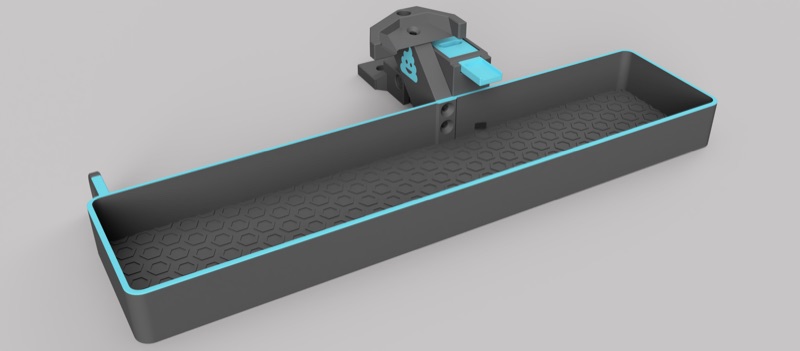
Tunes Blobifier, a standalone purge system that replaces the slicer's wipe tower with a purge tray and collection bucket. It is configured through menuconfig's Purging screen (Have Blobifier?). Genuinely the largest single tuning surface on this site, third-party-maintained and reproduced here in full rather than left to its upstream README alone. Physical build instructions are at Blobifier's own project page.
Where it's applied
Defined in blobifier.cfg, active once purge_macro: BLOBIFIER in
mmu.cfg (select Blobifier as the standalone purging option under
menuconfig's Purging screen - the tray actuator type, servo or stepper,
is also chosen there, not on the Macro Variables screen below). Three
extension points fire around the purge itself, distinct from - and not
listed on - Macro Customization's general table,
since they're scoped to Blobifier's own sequence rather than Happy Hare's
load/unload cycle: user_pre_blobifier_extension (at the very start, after
state is saved), user_post_purge_extension (after purging and cleaning,
before Z is restored), and user_post_blobifier_extension (after Z is
restored). All three exist specifically for a gantry-mounted brush/nozzle
leak-stop setup that needs its own parking logic around the sequence; leave
them blank for the default bed-mounted brush.
Tip
Parking the nozzle over the tray during a swap is better handled
through the standard parking configuration in Macro:
Sequence than the older
variable_user_post_form_tip_extension: 'BLOBIFIER_PARK' approach -
the newer mechanism accounts for toolhead movement more generally
rather than being specific to this one add-on.
Set these three hooks and clean_macro under Macro Variables → Blobifier →
Hooks and Extensions. Enter macro names or G-code without surrounding quotes.
The default cleaning macro is BLOBIFIER_CLEAN; leave it blank to skip cleaning.
Enabling Blobifier
Open menuconfig's Purging ---> screen and enable Have Blobifier?. This expands the screen with the bucket-presence input and the tray actuator settings. Then open Select standalone purging option and choose Blobifier. Check this choice explicitly when adding Blobifier to an existing configuration: menuconfig can retain the previous Simple purge into bucket selection.
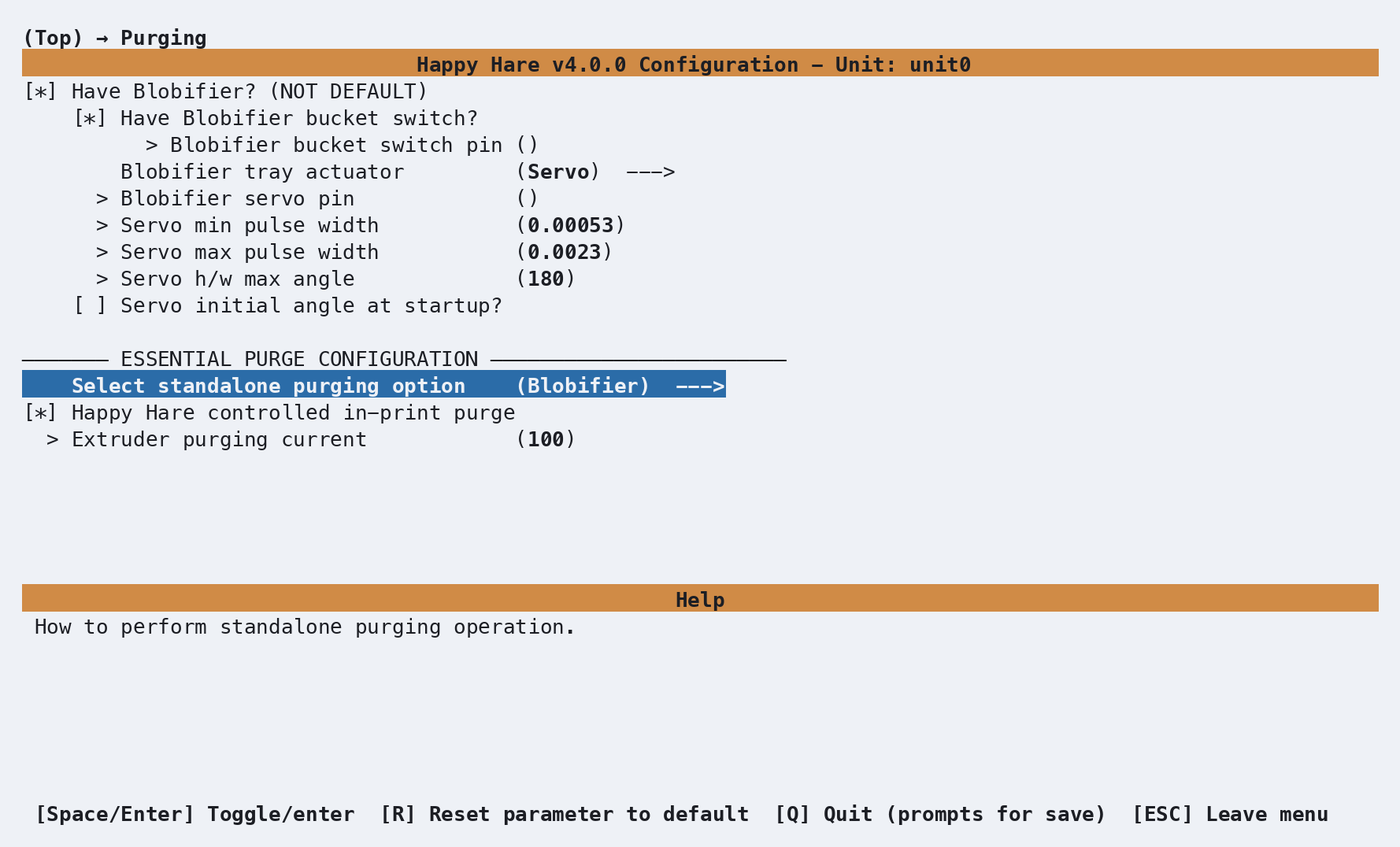
The fields in this screen configure the hardware generated in mmu.cfg:
| Setting | Purpose |
|---|---|
| Blobifier bucket switch pin | Input for the bucket-presence switch. Enter the fully qualified MCU pin and retain the ^ pull-up prefix. Removing the bucket clears Blobifier's stored blob count. |
| Blobifier tray actuator | Select Servo for the servo-driven tray or Stepper (manual_stepper) for the stepper-driven tray. This also sets the actuator type used by the Blobifier macros. |
| Blobifier servo pin and pulse widths | Generated as [mmu_servo blobifier]. The default pulse widths are starting points; tune the minimum for fully out and the maximum for fully in without servo buzz. |
| Servo h/w max angle and startup angle | Match the servo's angular range to its pulse widths. Optionally set a position to apply at Klipper startup. |
| Select standalone purging option | Choose Blobifier. Simple purge into bucket runs the much simpler _MMU_PURGE macro and does not activate Blobifier. |
| Happy Hare controlled in-print purge | Leave enabled to use Blobifier during prints, and turn off the slicer's wipe tower. |
Selecting Stepper (manual_stepper) replaces the servo fields with the step, direction, enable and endstop pins, TMC driver selection and connection settings, motor current, rotation distance, microsteps, gear ratio and motion limits:
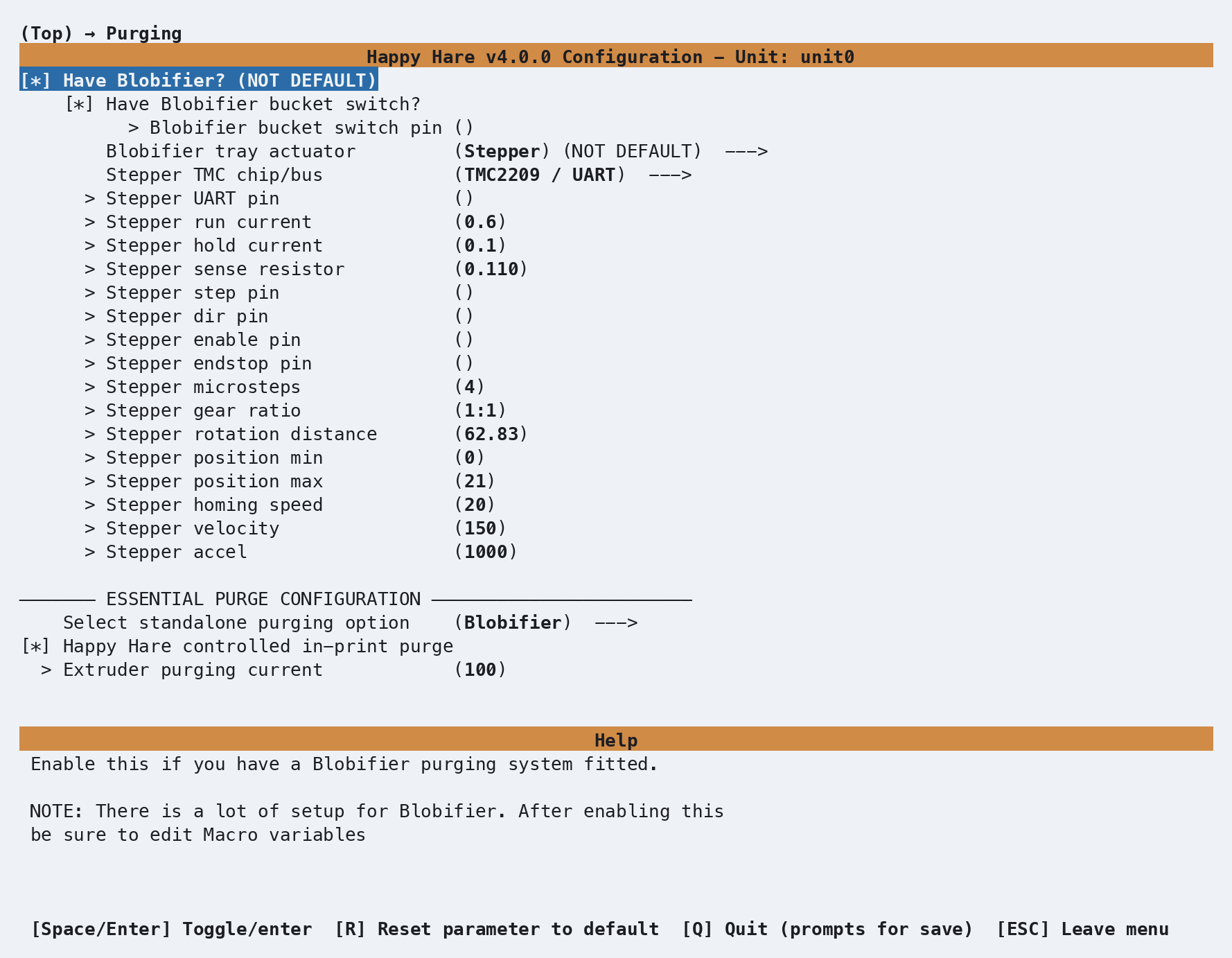
Stepper TMC chip/bus defaults to TMC2209 / UART. Select the fitted
driver here; menuconfig exposes the corresponding UART or SPI connection
settings and generates its driver section. The stepper endstop commonly needs
the ^! pull-up and inversion modifiers shown in the prompt's help.
The bucket switch above detects whether the collection bucket is fitted. It
is separate from the bucket-capacity and shaker settings on the Macro
Variables screen below: max_blobs, enable_shaker, shaker_pos_x,
bucket_shakes, shake_accel, bucket_shake_frequency and
shaker_arm_z.
Configuration
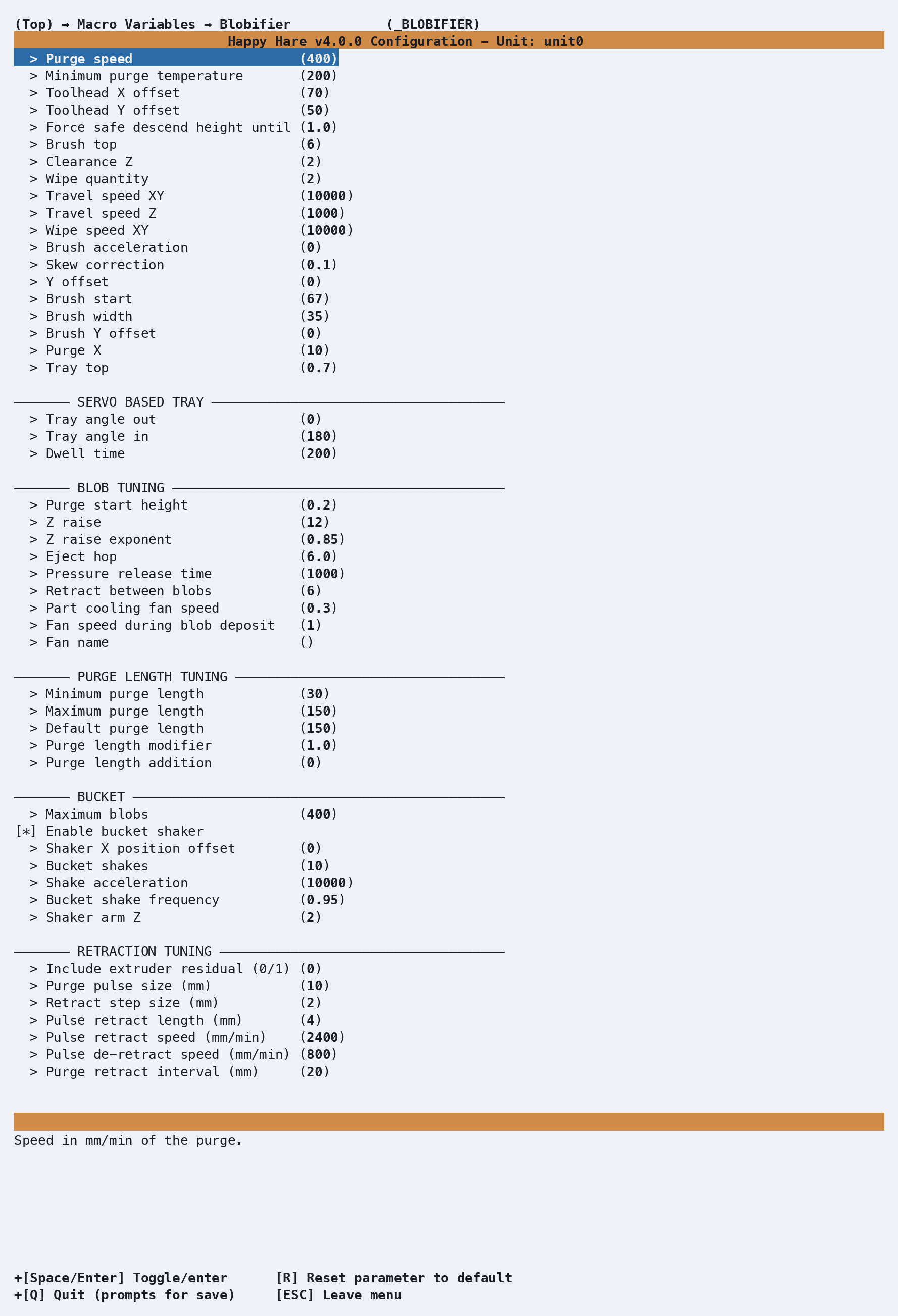
_BLOBIFIER_VARS in mmu_macro_vars.cfg, reachable from menuconfig's
Macro Variables → Blobifier (_BLOBIFIER) screen shown above, once
Blobifier is enabled. The full variable table, organized the same way
as the shipped file's own sections, is on Macro Variables:
Blobifier - not repeated here.
Three settings are explicitly flagged must calibrate rather than
tune-to-taste: toolhead_x/toolhead_y (nozzle-to-toolhead-edge offsets)
and tray_top (the tray's real Z height) - the shipped defaults are a
specific build's measurements, not a sensible starting point for yours.
See also
- Feature: Tip Forming and Purging - the
purge_macrosetting that activates Blobifier as an alternative to_MMU_PURGE - Macro Variables: Blobifier -
every
_BLOBIFIER_VARSsetting in full - Toolchange Movement - a worked example combining Blobifier with a fully custom park/purge, no wipe tower
- Purge: Simple - the simpler built-in alternative