Macro: State Change Hooks
What it does
Extension points for the three macros Happy Hare calls whenever something changes: the current action, the print state, or a one-off event. Almost every other piece of automation on this site that reacts to "what the MMU is doing right now" - LED effects, consumption counters - is itself built on these three hooks, and your own extensions run alongside that default behavior rather than replacing it.
Where it's applied
All three are defined in mmu_state.cfg and fire automatically - nothing
calls them directly in normal use:
_MMU_ACTION_CHANGED- runs wheneverprinter.mmu.actionchanges (Idle,Loading,Unloading,Forming Tip,Selecting, and so on - see Printer Variables: Core state for the full list). ReceivesACTION/OLD_ACTION._MMU_PRINT_STATE_CHANGED- runs wheneverprinter.mmu.print_statechanges (printing,paused,complete,error, and so on - also on Printer Variables: Core state). ReceivesSTATE/OLD_STATE._MMU_EVENT- runs on one-off events that aren't really a state transition:restart,gate_map_changed,servo_down,filament_cut. ReceivesEVENTand event-specific parameters.
Your extension macro is called after the default handler, with exactly the same parameters the original call received.
Configuration
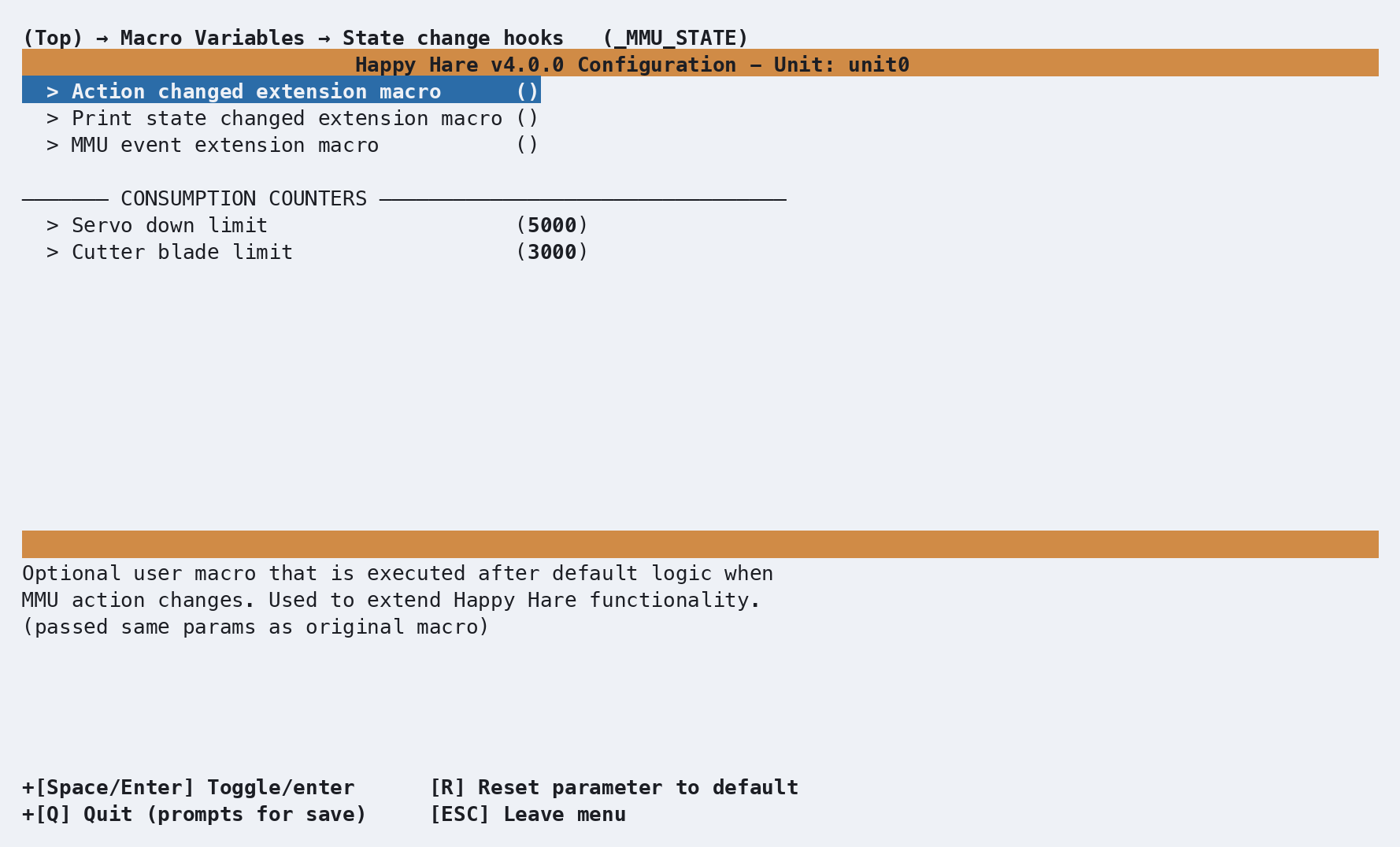
_MMU_STATE_VARS in mmu_macro_vars.cfg, reachable from menuconfig's
Macro Variables → State change hooks (_MMU_STATE) screen shown above.
Full variable table: Macro Variables: State change
hooks.
Two settings here aren't extension hooks at all - servo_down_limit and
cutter_blade_limit are maintenance-warning thresholds for a servo-cycle
and cutter-blade-use counter.
Note
Neither limit drives a real counter on its own - nothing in Happy Hare
increments a servo_down/cutter_blade counter automatically today.
Wire one up yourself from the _MMU_EVENT hook above (it already fires
a servo_down event) or from wherever your own macro operates a
cutter, using
MMU_STATS COUNTER=servo_down LIMIT={printer['gcode_macro _MMU_STATE_VARS'].servo_down_limit}.
See also
- Macro Customization - the extension mechanism these three hooks use
- Macro Variables: State change hooks -
every
_MMU_STATE_VARSsetting in full - Printer Variables: Core state - the
action/print_statefields these macros report on - Feature: Statistics & Consumption Counters - building a real counter from the limits above