Macro: Print Start/End
What it does
Controls the checks and behavior Happy Hare runs automatically at the start and end of every print - whether to home the MMU first, check every gate that's about to be used actually has filament, load the first tool, and what happens when the print finishes (or is unloaded, TTG-reset, and so on).
Where it's applied
Three commands, normally called from your slicer's start/end gcode (see Slicer Setup for the calling convention):
MMU_START_SETUPandMMU_START_LOAD_INITIAL_TOOL- the print start sequence.user_pre_initialize_extensionruns at the very start ofMMU_START_SETUP, commonly to home the toolhead (G28) before anything MMU-specific happens.MMU_END- the print end sequence.user_print_end_extensionruns at its very start, a good place to move the toolhead off the finished print before Happy Hare's own end-of-print behavior (unload, TTG reset, stats dump) runs.
Configuration
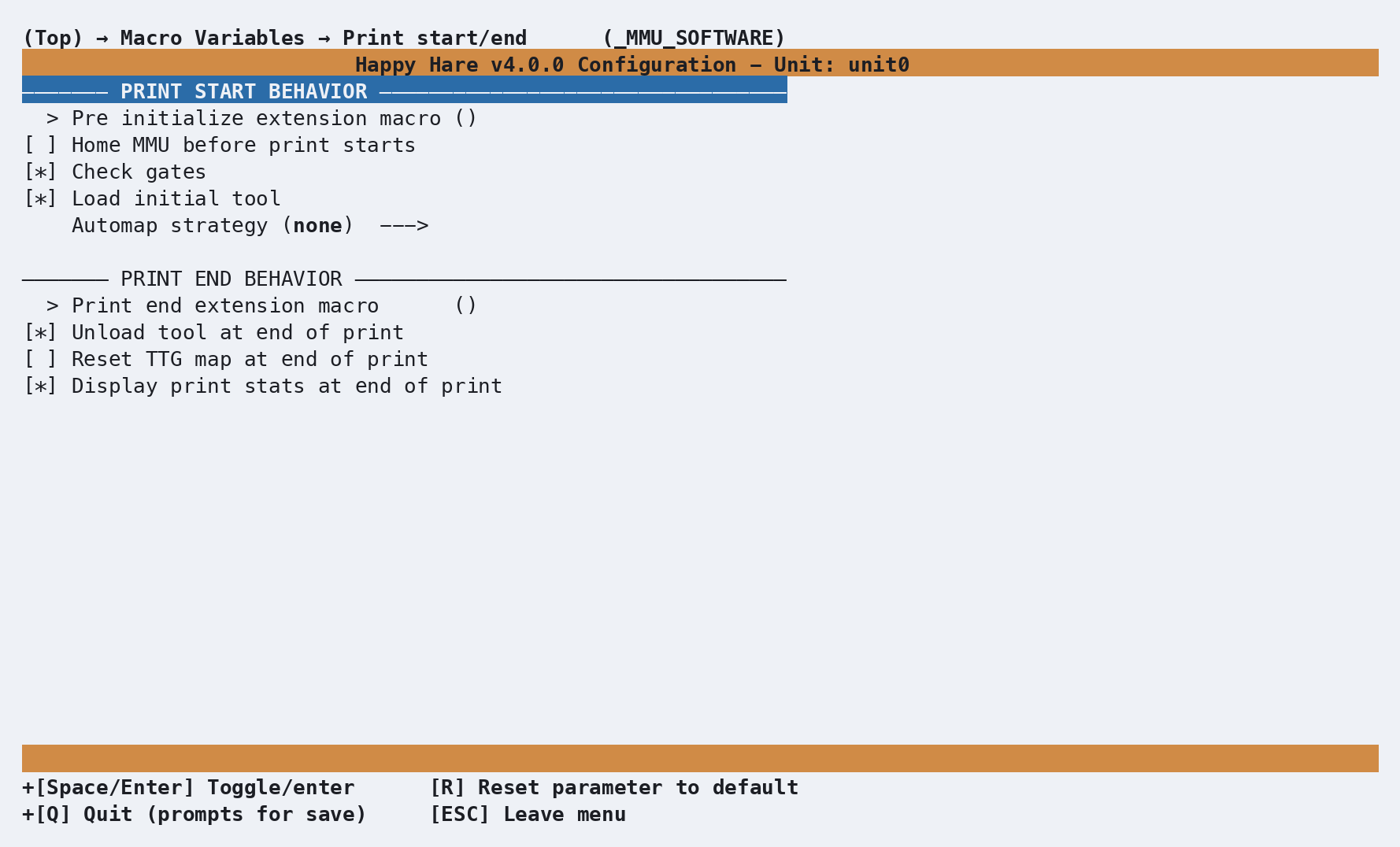
Every setting here lives in _MMU_SOFTWARE_VARS in mmu_macro_vars.cfg,
reachable from menuconfig's Macro Variables → Print start/end
(_MMU_SOFTWARE) screen shown above. The full variable table is on Macro
Variables: Print start/end
- a few worth knowing about specifically:
automap_strategydrives Happy Hare's automatic tool-to-gate remapping against the slicer's tool map at print start - see Feature: Gate/TTG Maps for how the matching itself works.check_gates(on by default) catches a print starting on an empty gate before it wastes time and filament, rather than failing mid-print.unload_tool/reset_ttg/dump_statscontrol what "end of print" actually does to the MMU's state - unload the tool, reset the tool-to-gate map, and print the swap/gate statistics summary (Feature: Statistics & Consumption Counters) respectively.
See also
- Macro Customization - the extension mechanism
user_pre_initialize_extension/user_print_end_extensionabove use - Macro Variables: Print start/end -
every
_MMU_SOFTWARE_VARSsetting in full - Slicer Setup - where
MMU_START_SETUP/MMU_START_LOAD_INITIAL_TOOL/MMU_ENDare actually called from - Feature: Gate/TTG Maps -
the automap strategy this page's
automap_strategysetting drives