Tip Shaping: MMU Cutting
What it does

Tunes a servo-actuated cutter mounted at the MMU end of the bowden - originally the EREC design, but this covers any similar servo-actuated cutter at the MMU end of the bowden. Additive to tip forming rather than a replacement for it: a decent tip still needs to exist going into the cut. Enable Have servo cutter at MMU? under menuconfig's Tip Forming / Cutting screen, wire the servo pin, and tune it below. You'll still need the physical build/wiring instructions from EREC's own project page. See Feature: Tip Forming and Purging for how it fits alongside whichever tip-forming method is active.
Where it's applied
Defined in mmu_servo_cutter.cfg as SERVO_CUTTER_ACTION - after the
filament parks in the gate, it advances the filament, activates the cutter,
then parks again, firing a filament_cut event
(Feature: Statistics & Consumption Counters
can count these). Unlike most of the macros on this site, enabling the
capability in menuconfig does not wire this one up automatically - the
Kconfig prompt's own help text says as much ("after enabling this be sure to
edit Macro variables"). Add it as a
post-unload extension hook yourself:
variable_user_post_unload_extension : 'SERVO_CUTTER_ACTION'
Note
mmu_macro_vars.cfg's own section banner for this block describes it as
a "post_load_extension" - that's stale relative to the macro file's own
header comment and the hook it's actually written to receive
(user_post_unload_extension); wire it up per the macro file's own
instruction above, not the banner text.
Enabling the MMU cutter
Open menuconfig's Tip Forming / Cutting ---> screen and enable Have servo cutter at MMU?, then enter the fully qualified Cutting servo pin. This enables the MMU cutter's configuration and generates its servo hardware section. Set its pulse widths and Cutting servo h/w max angle to match the servo. The optional startup-angle setting moves it to a chosen position when Klipper starts; leave it disabled if no startup move is wanted.
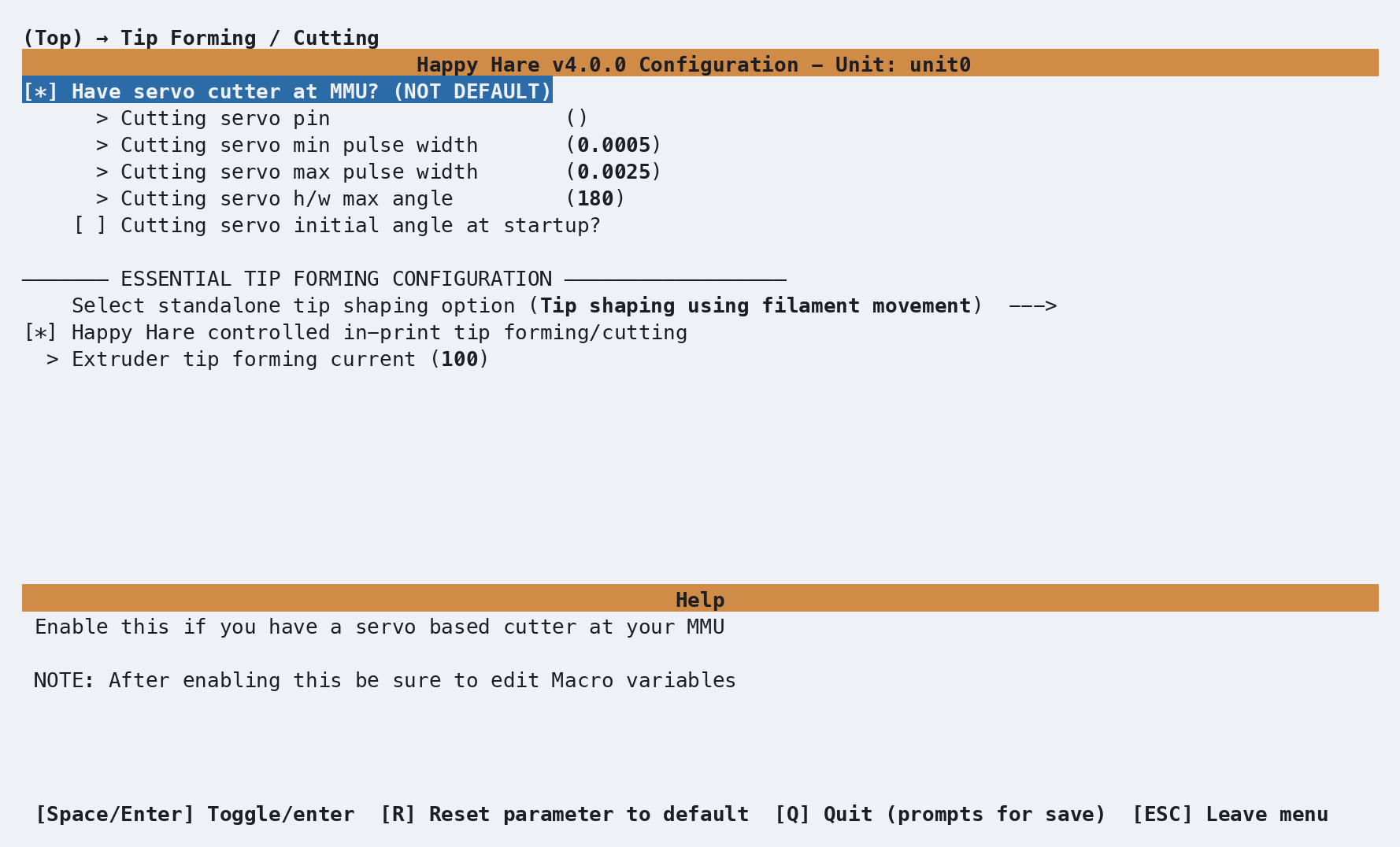
This switch does not change Select standalone tip shaping option. The MMU cutter runs after unload, so keep whichever method prepares the tip before unloading - normally Tip shaping using filament movement, or Tip cutting using toolhead cutter when that separate capability is fitted. The screenshot shows filament-movement forming selected.
The Happy Hare controlled in-print tip forming/cutting and Extruder
tip forming current fields apply to that selected preparation method, not
to the MMU cutter's post-unload action. Enabling the hardware also does not
attach the action hook automatically; configure
variable_user_post_unload_extension as described above.
Configuration
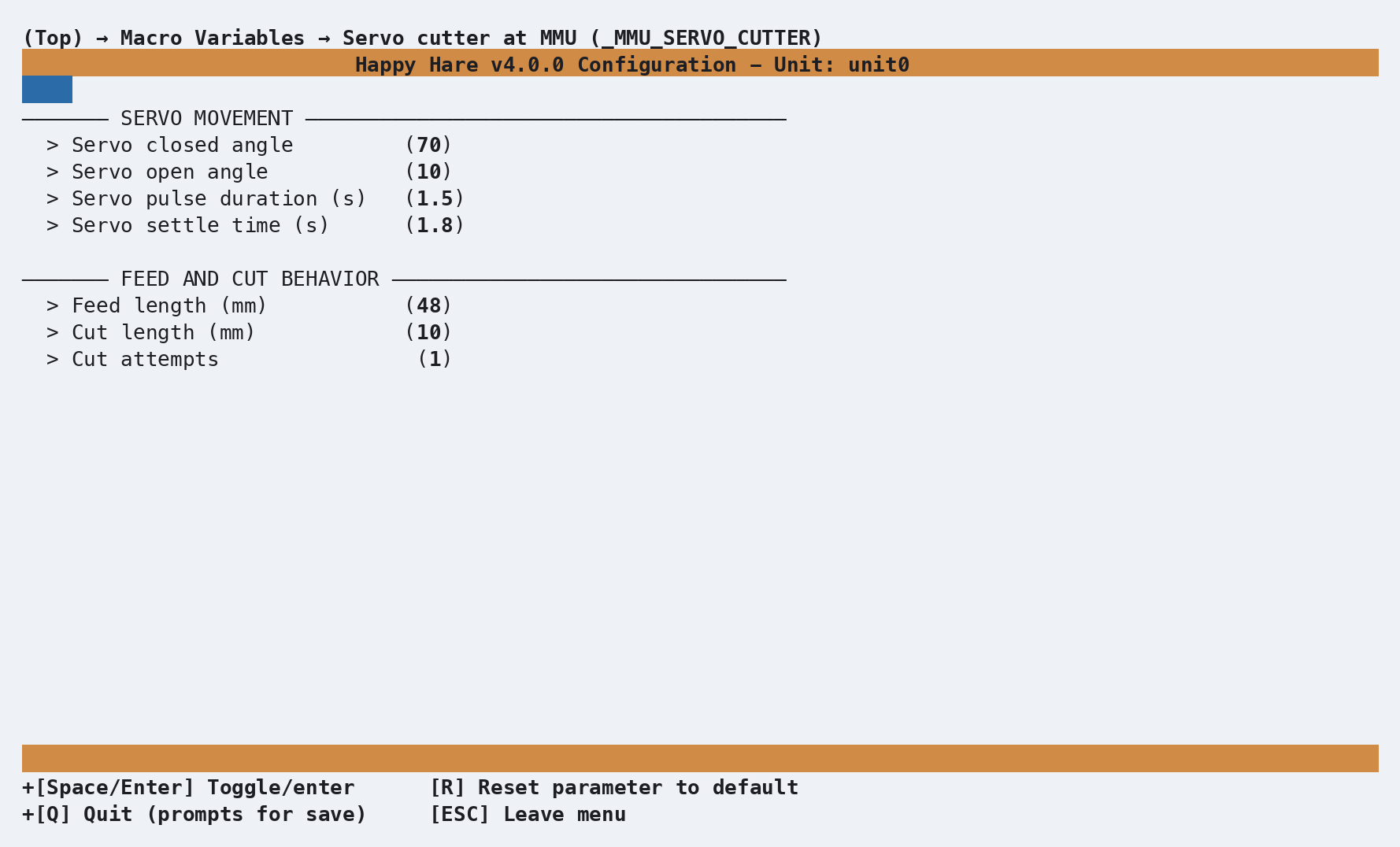
_MMU_SERVO_CUTTER_VARS in mmu_macro_vars.cfg, reachable from
menuconfig's Macro Variables → Servo cutter at MMU
(_MMU_SERVO_CUTTER) screen shown above, once Have servo cutter at
MMU? is enabled under Tip Forming / Cutting. Full variable table:
Macro Variables: Servo cutter,
MMU-mounted.
feed_length - the distance from the gate parking position to the blade -
is the one setting worth calibrating carefully rather than guessing: 48mm
covers ERCF v2 and most other designs, 58mm is the ERCF v1.1 value.
See also
- Feature: Tip Forming and Purging - how this fits alongside tip forming/cutting
- Macro Variables: Servo cutter, MMU-mounted -
every
_MMU_SERVO_CUTTER_VARSsetting in full - Macro: Sequence - the
post_unload_extensionmechanism this macro runs through